The family wall calendar
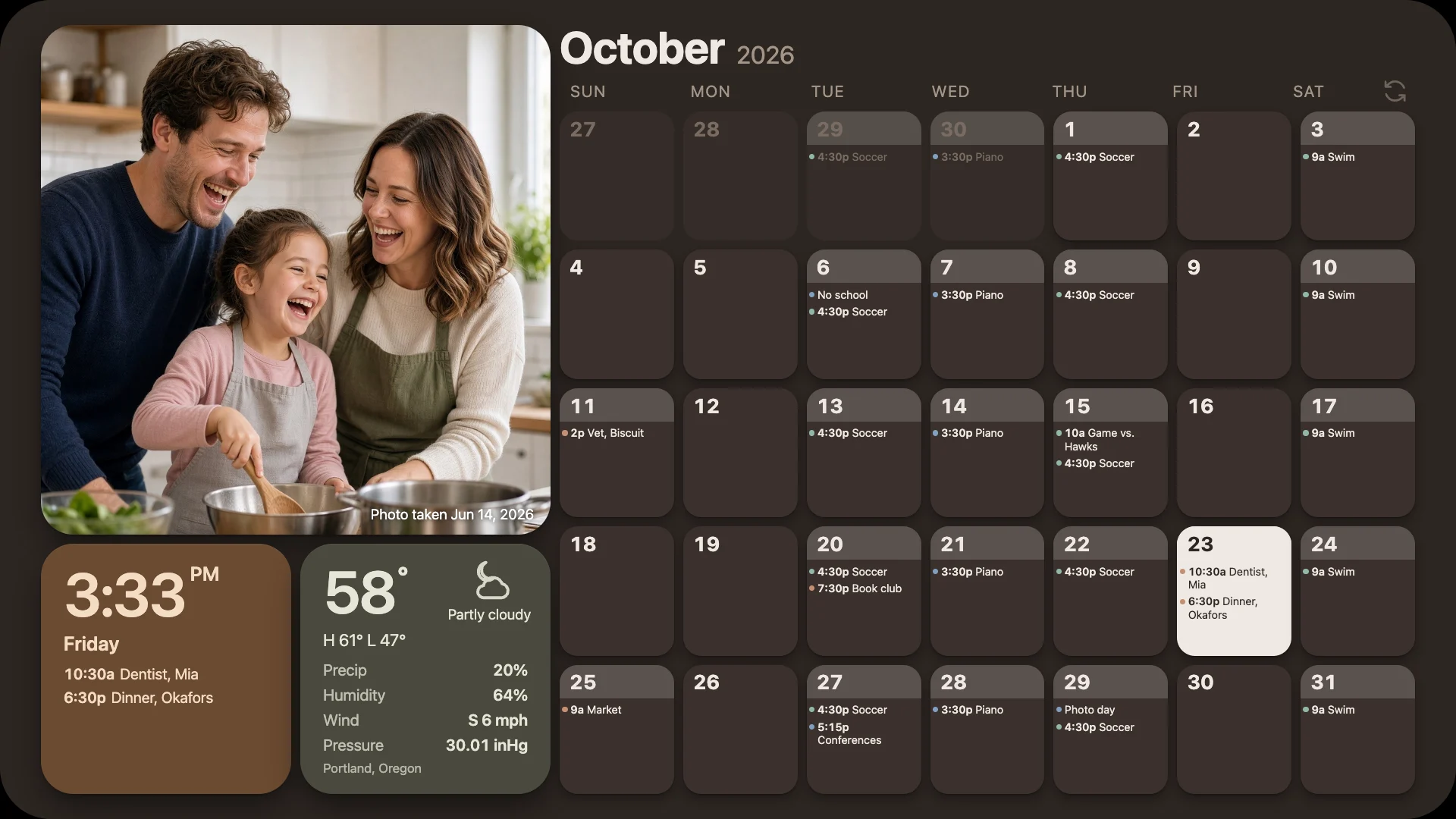
Everyone's week, on the wall.
The month at a glance, today's plans, the weather and your favourite photos, on the screen everyone walks past. An old monitor, a TV, a Chromecast or a tablet will do.
- $2.50 a month, or $20 a year
- Nothing to install
- Private unless you share it
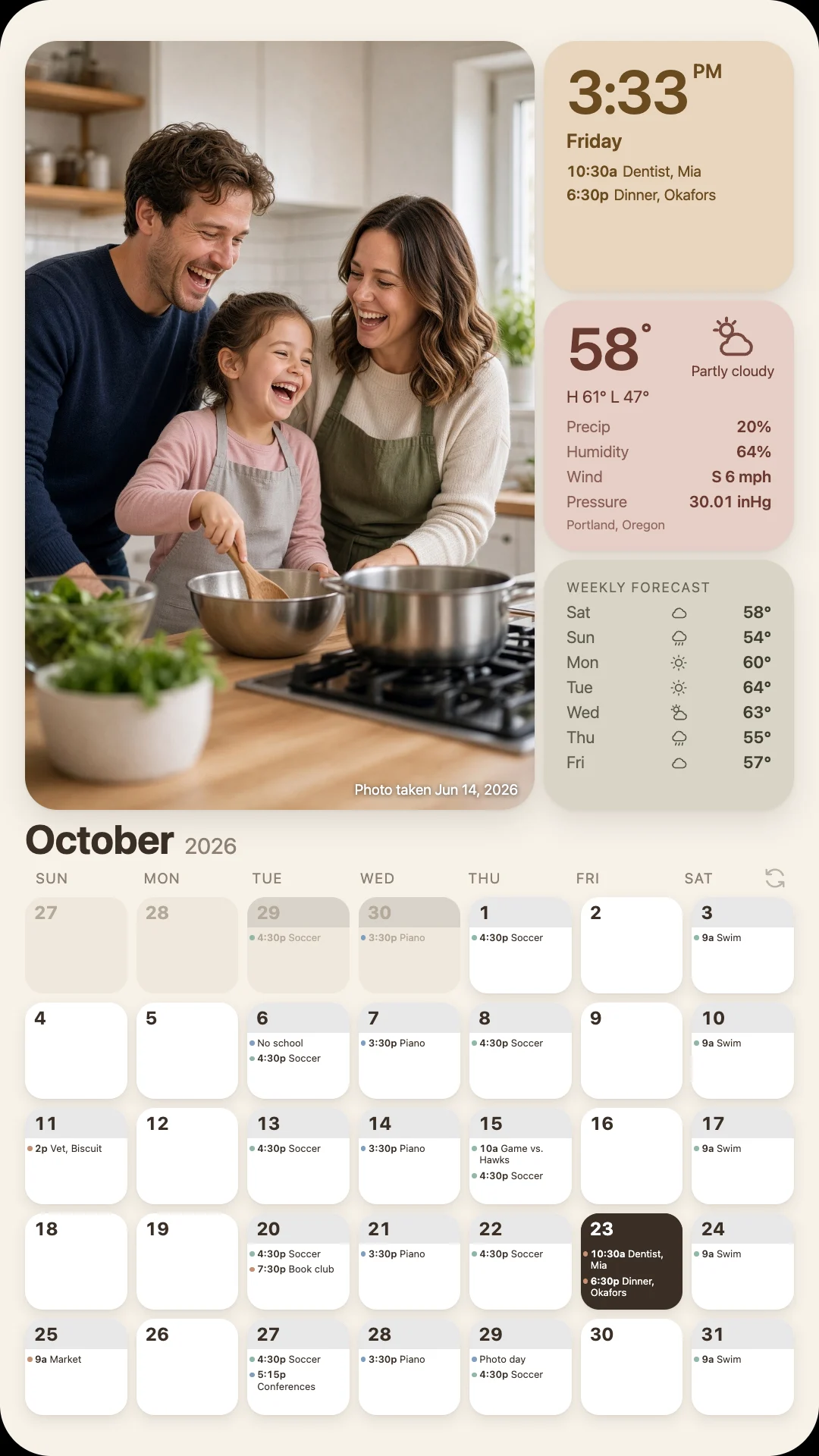
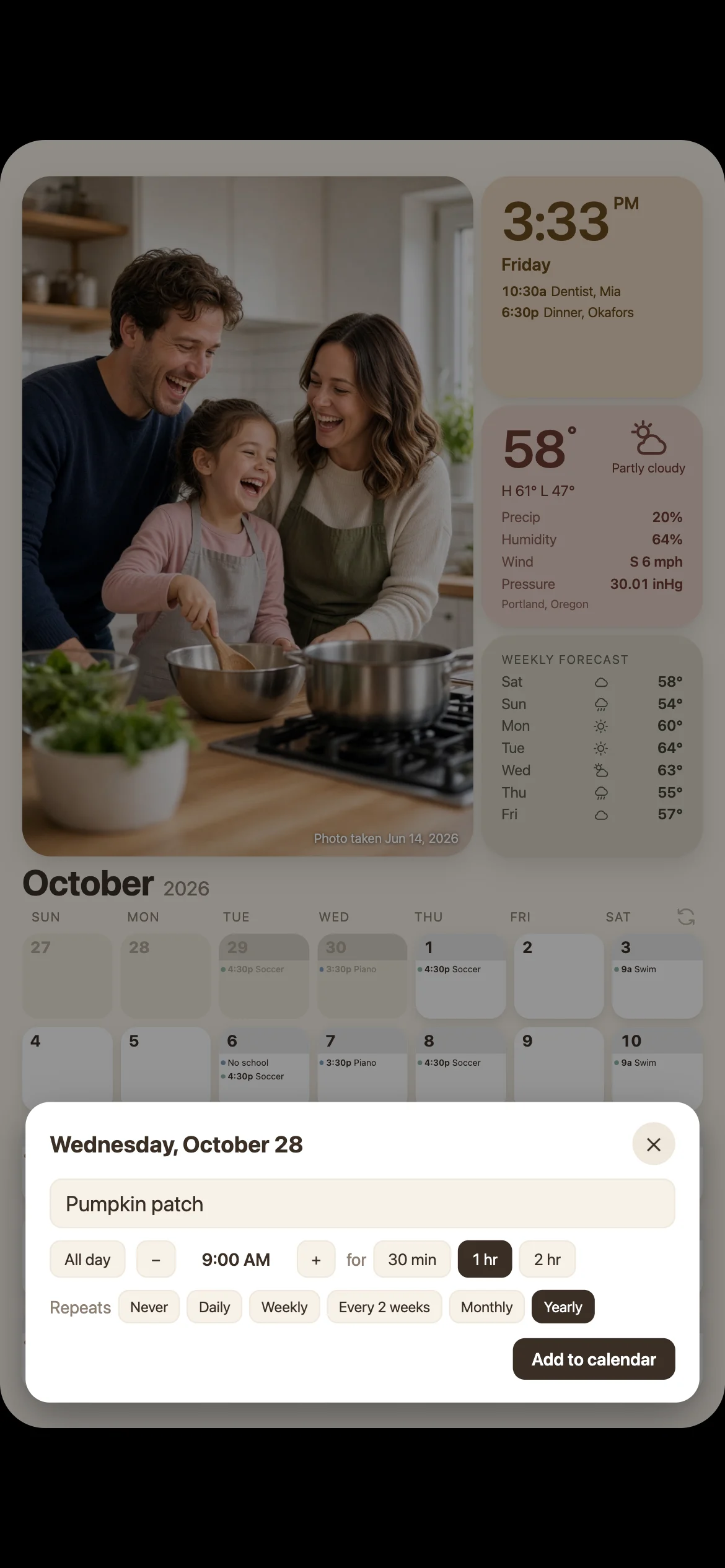
Tap a day to add an event from any phone
The same photo on every screen, at the same moment
- Google Calendar
- iCloud shared albums
- Any iCal feed
- Chromecast
- Android TV
- Any web browser
Your photos
Photos that look framed by hand.
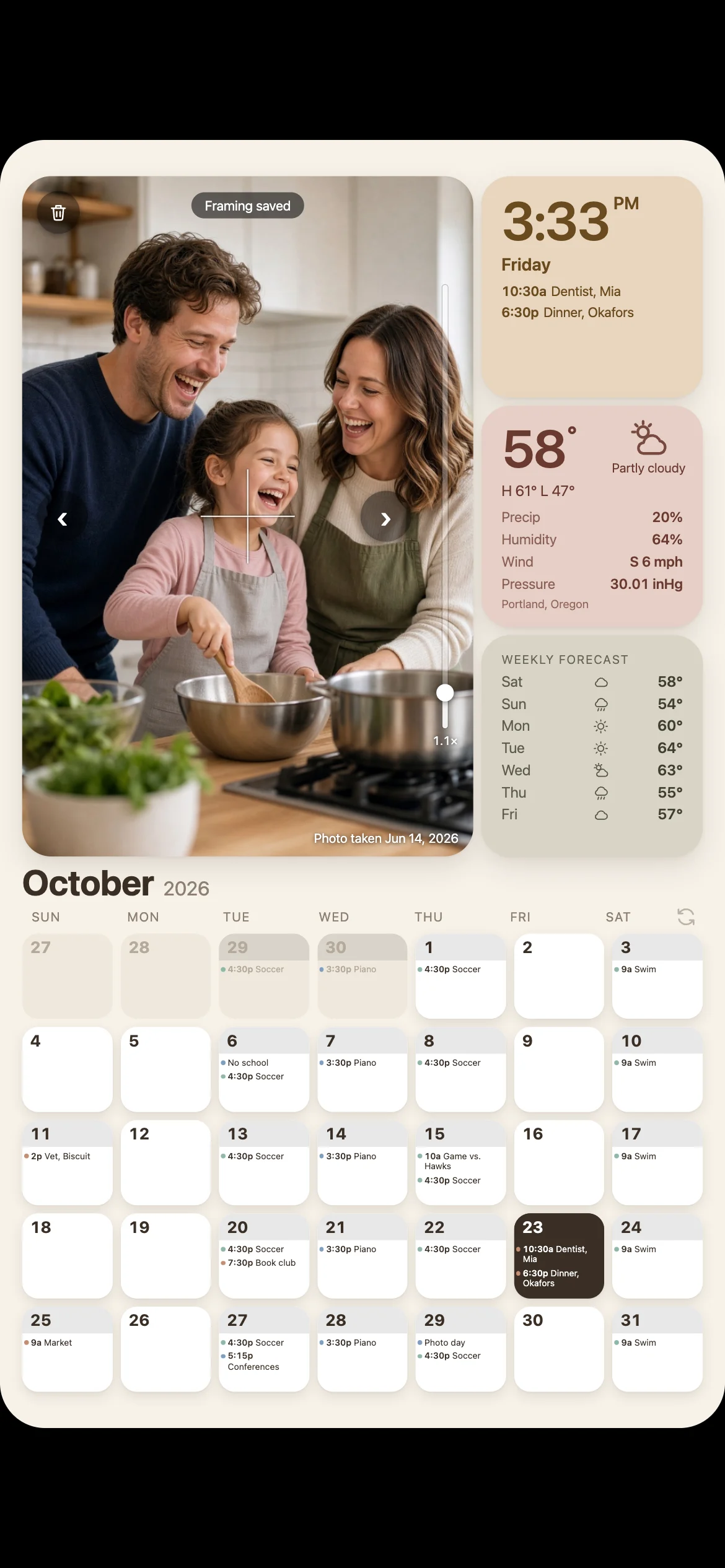
Upload pictures from your phone or point the wall at an iCloud shared album. Hestia finds the people in every photo and crops around them, so nobody loses the top of their head.
- Reframe from your phone. Drag, pinch or zoom the photo on the wall itself. Every screen redraws within seconds.
- One slideshow, everywhere. The kitchen TV and your phone show the same picture at the same moment, and touching it holds it there while you adjust.
- More of the good ones. Mark favourites to see them twice as often. Photos taken this month come up more often too.

Make it yours
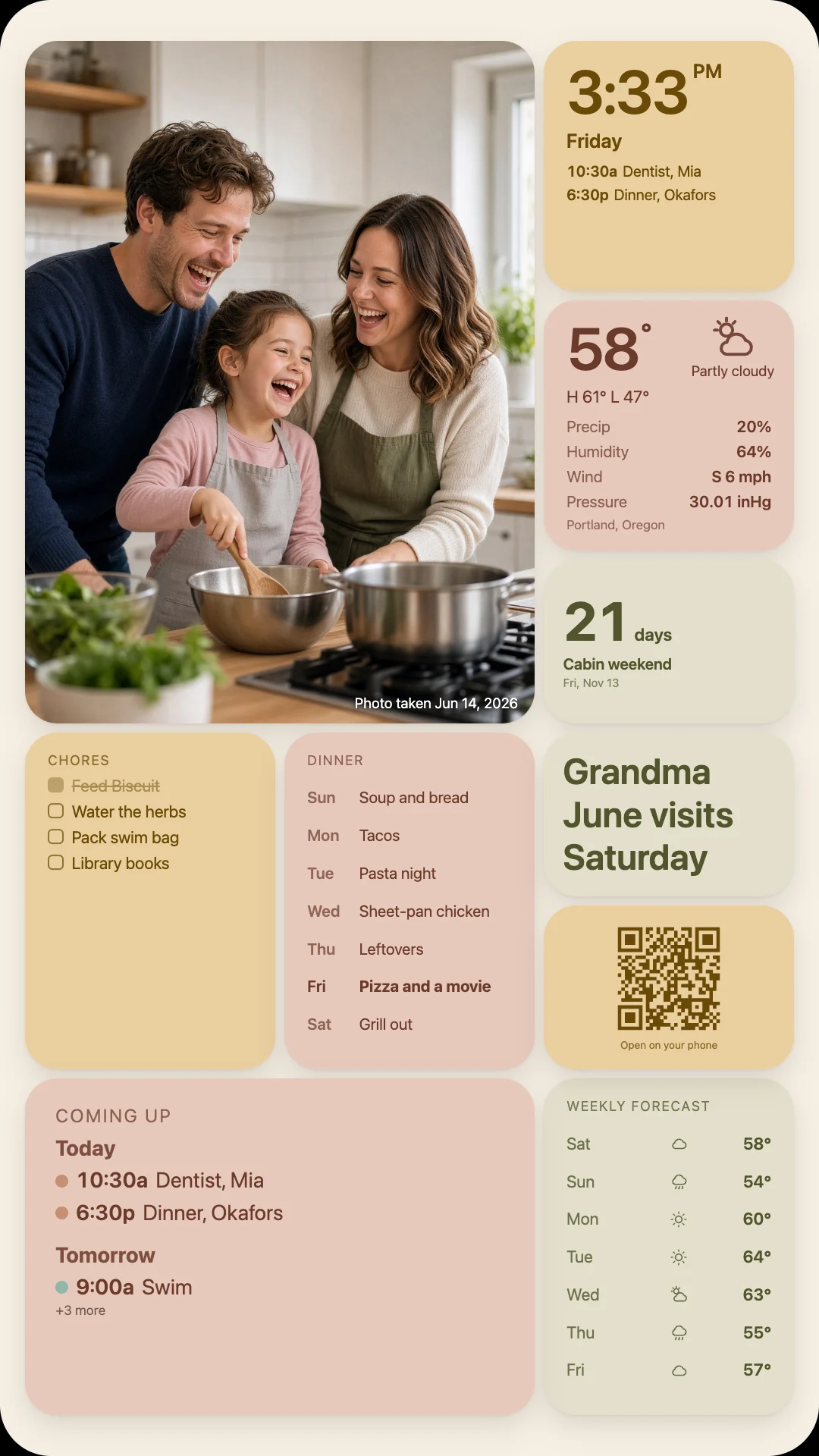
Lay it out the way your family lives.
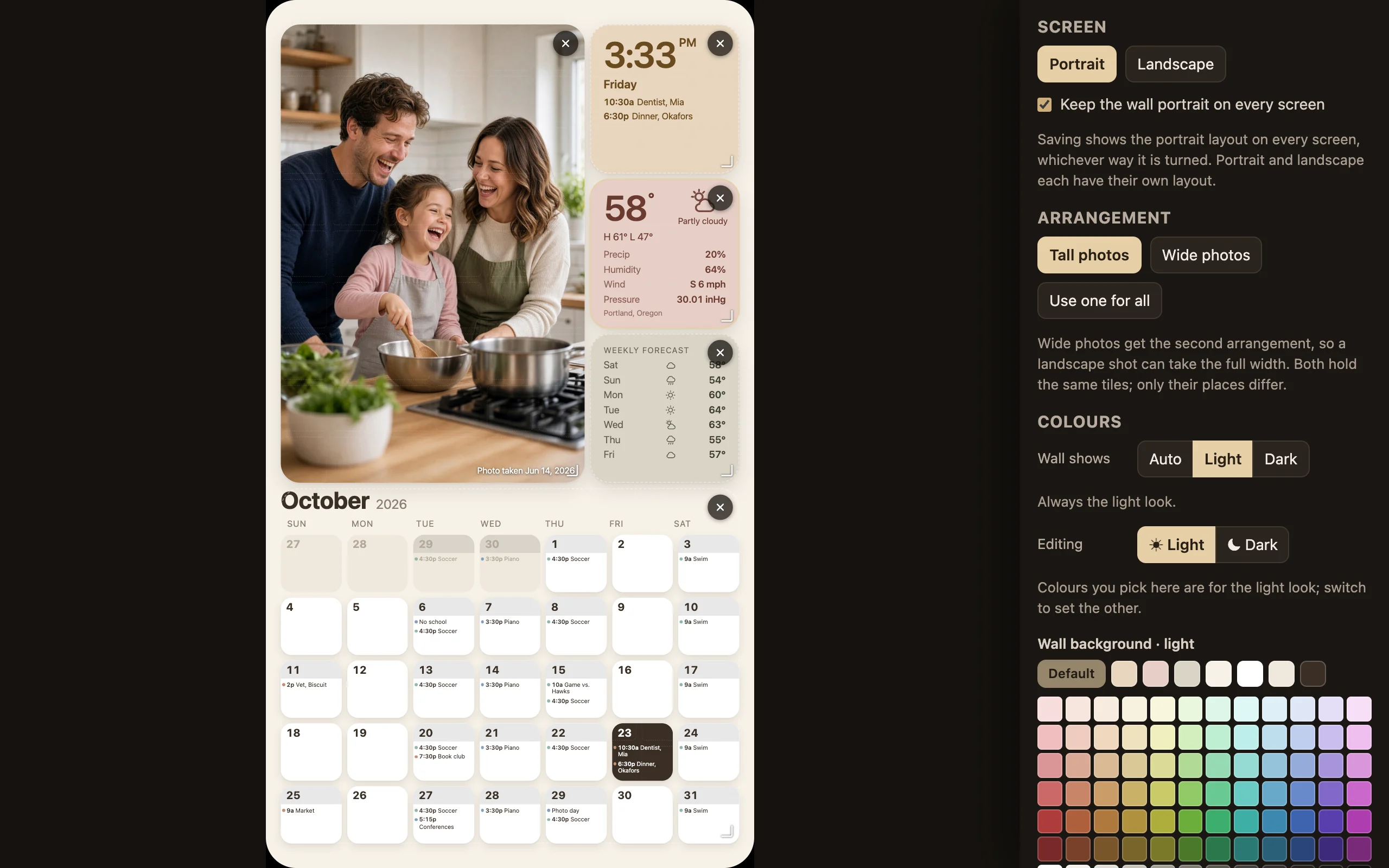
Press the pencil on your wall and move the tiles around. Drag to place, pull a corner to resize. Portrait and landscape screens each keep their own layout.
- Photo
- Clock and today
- Weather
- Weekly forecast
- Month
- Coming up
- Chores
- Meal plan
- Countdown
- Note
- Phone editor link
- Wi-Fi share
- Sunrise and sunset
- Moon
- Trash day
- Who's home
- Empty space
Any screen
The old monitor in the hall is perfect.
Hestia is a web page, so anything with a browser can be a wall. Light by day, and dark from sunset to sunrise so it never glares at night.
-
A browser in fullscreen
An old laptop, a spare monitor or a Raspberry Pi. Open your wall, press the fullscreen button, done.
-
A smart TV
In the TV's browser, open
/tvon this site. It shows a code; type it on your phone and the TV turns into your wall.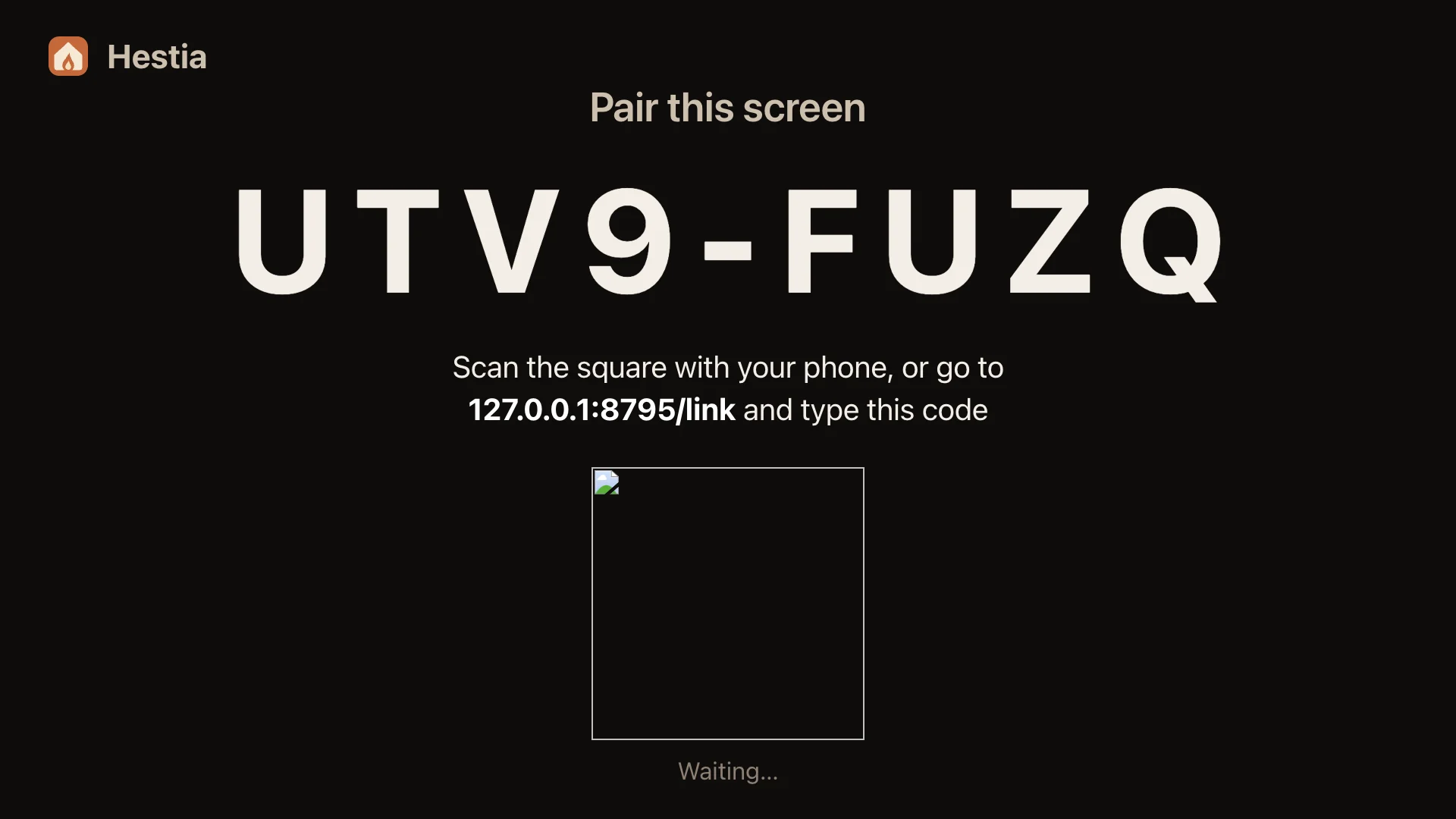
-
Chromecast and Google TV
Press the cast button on your wall in Chrome and pick the TV. An Android TV app is on the way.
-
A tablet on a stand
Leave it charging on the counter. Anyone can tap a day to add a plan, right there.
Colours
Quiet colours that change with the year.
One warm palette by default, paper by day and woodsmoke after dark. Or let the wall wear a different pair each month. Or pick every colour yourself.
Set up in five minutes
Three steps, then leave it alone.
- 1
Sign in with Google
Or get a sign-in link by email. There is no password to remember.
- 2
Pick your wall's address
Something like
/the-parkers, chosen once. Then connect your calendar and add a few photos. - 3
Open it on the screen
Pair a TV with a code, cast it, or open it in any browser and press fullscreen.
Pricing
One simple price.
One wall for your household, on as many screens as you like, with every feature.
- Every screen in the house
- Google Calendar and iCal feeds
- Your photos, framed around the people
- Layouts, tiles and colours
Questions
Good to know.
Who can see our wall?
Only you, the screens you pair, and the people you invite, like grandparents, who can look but not change anything. Each screen and each invite has its own link that you can remove any time.
Which calendars work?
Google Calendar, with as many of your calendars as you like and one chosen for events added on the wall. Apple, Outlook and school calendars work too, through their private iCal address.
What does Hestia do with my Google Calendar?
It shows the events of the calendars you choose on your wall, and adds the events you create by tapping a day. It never changes or deletes your events, never reads events from calendars you did not choose, and never shares or sells anything. Disconnect any time in Settings. The privacy policy has the details.
Where do the photos come from?
Upload them from your phone or computer, or paste the link of an iCloud shared album and new photos appear on their own.
Do we need special hardware?
No. Anything with a modern web browser can show the wall: a spare monitor and an old laptop, a smart TV, a Chromecast or a tablet.
What does it cost?
$2.50 a month, or $20 a year if you pay for the year at once. That covers your household's wall with every screen and every feature.
Where are the setup guides?
At hestiacalendar.com/help: step-by-step guides for TVs, Chromecast, tablets and a Raspberry Pi, and for Google Calendar, other calendar links, iCloud albums and Google Photos.
Can I leave?
Any time. Settings, then Account, deletes your wall, its photos and your account straight away.
Put your family's week where everyone can see it.
$2.50 a month or $20 a year. Takes about five minutes to set up.